




Skip to content

Course type

Audio Pro

Professional knowledge, ready to listen

Neda Audio Pro turns expert knowledge into structured audio learning for professionals who need greater freedom over when and where they learn.

Course type

Live Class

Expertise, interactions, and learning in real time

Neda Live Class creates space for direct instruction, discussion, collaboration, and guided practice.

Course type

Flex Learn

Structured learning on your schedule

Neda Flex Learn provides complete self-paced courses that learners can enter, pause, revisit, and complete according to their own schedules.

Course type

Skill Bites

Focused (micro) learning for the moment it matters

Neda Skill Bites delivers concise learning experiences built around one specific concept, task, decision, or workplace challenge.

Course type

Quest Lab

Coming up next

Collaborative immersive learning missions

Neda Quest Lab transforms professional learning into an immersive mission.

Our foundations

Explore by Academies

Broad fields of learning. A global community of knowledge.

Create. Share. Empower.

Create with Neda Creator

Build accessible, engaging courses without wrestling with the technology.
Start creatingSee how it works

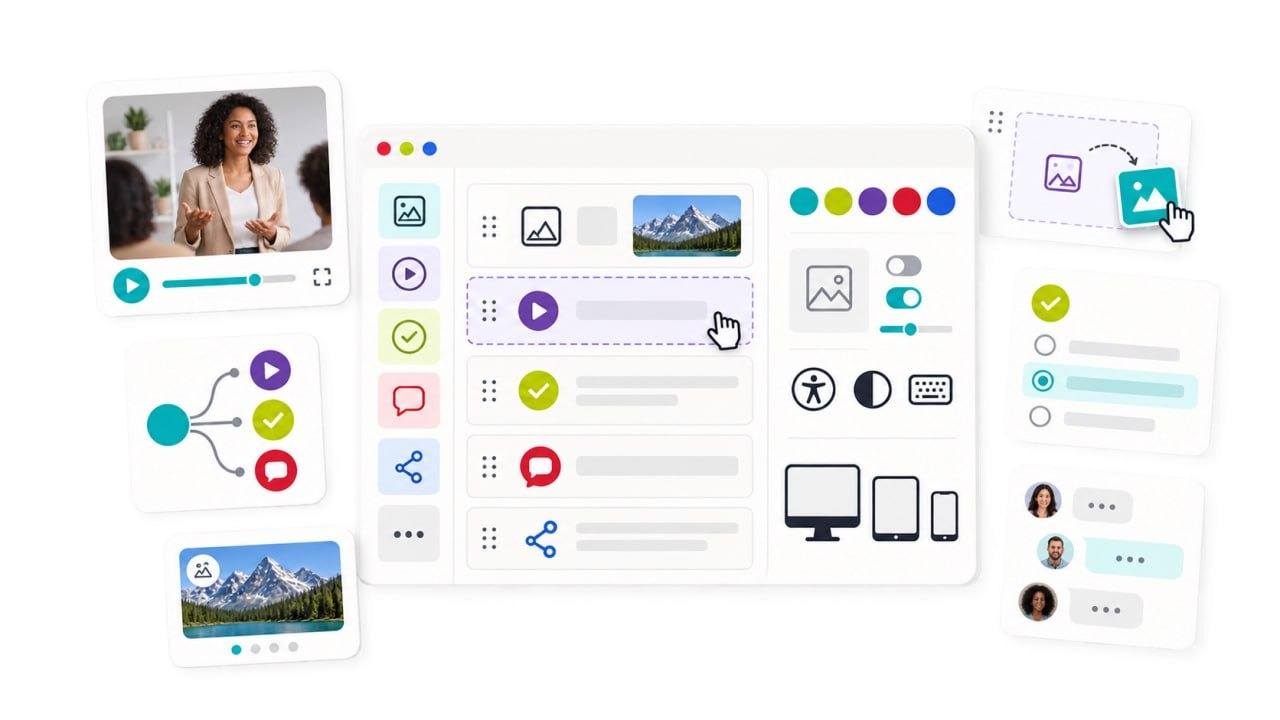
Neda Creator's editor: a course page built from image, video, quiz, discussion and share blocks, with one row selected and being dragged into place. Beside it, controls for a colour style, image settings, accessibility and contrast, and previews for desktop, tablet and phone. Around the window float a video lesson, a branching path of content types, an image carousel, a card for dragging in a picture, a single-choice question and a comment thread between three people.

Independent creators. Bolder ideas.

Explore by Studios

Unique voices. Fresh perspectives. Learning for a brighter tomorrow.

Learning through missions

Neda Quest Lab

Coming next

Solve real challenges. Make decisions. Learn together.

Fresh knowledge. New possibilities.

Recently Added Courses

Be the first to explore our latest learning experiences.

View all new courses

Share your expertise

Become a Course Creator

Turn your expertise into learning that travels further.

  • Flexible tools
  • Global reach
  • Personal support
  • Real impact

You bring the knowledge. Neda provides the tools and support.

Explore creator packages

Questions people ask

Frequently asked questions

Clear answers to the questions that come up most before you begin.

View all FAQs
How do I enrol in a course?
Choose a course and go through the checkout. A free course asks for no payment details. Your place is set up automatically, so there is nothing to claim or activate afterwards.
Do I need a separate account for each platform?
No. One Neda eCampus account signs you in to the website, to your courses and to Neda Creator, so you never keep a second password.
What kinds of courses are there?
Audio Pro, Live Class, Flex Learn and Skill Bites, with Quest Lab coming soon. The Course Types page explains who each one suits and how it is delivered.
What are Studios and Academies?
Two ways of exploring the catalogue by who teaches, rather than by format. A Studio is an independent creator’s own space; an Academy is an organisation’s area, covering a broad field of learning.
Do courses cost anything?
Many courses are free: look for Access for Free. Some are opened with an enrolment key from the organisation running them. Where a course has a price, it is shown in euros and no VAT is added.
Can I teach on Neda eCampus?
Yes. Creator packages, with Neda Creator included, are coming soon and are shown in the Creators’ Corner. Contact us if you would like to start.
Where do I find my courses?
Under My courses in your account, each one linking straight into the course. Anything a course awards you is collected in your Achievement Vault. Signing in once is enough to reach both.